Notification Message
Logo
Home Learn More Plans & Pricing Templates Contacts
Logo
Home Learn More Plans & Pricing Templates Contacts

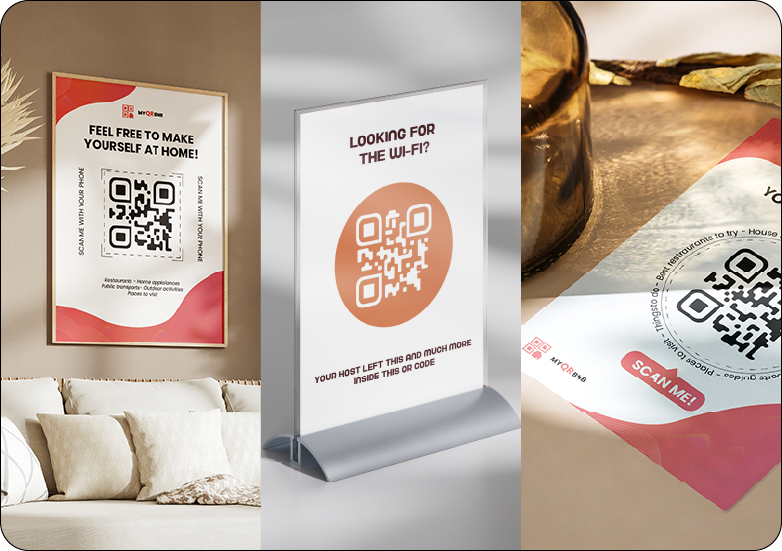
Create a QR code guest guide for any vacation rental

Give every guest one simple way to access WiFi details, house rules, appliance instructions, check-out information, local recommendations, maps, images and videos, no matter which platform they booked from.
Learn More

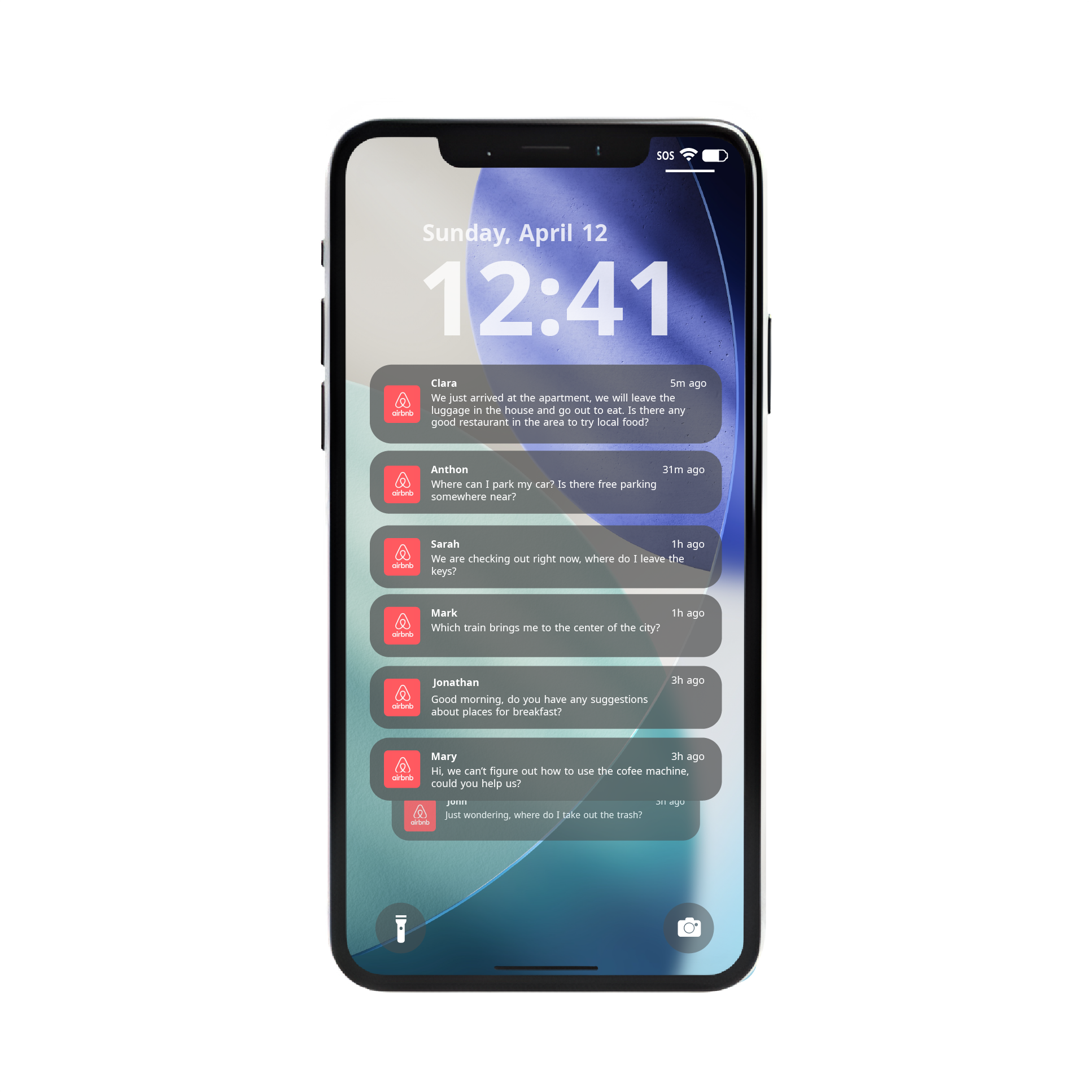
Guests ask the same questions, no matter where they booked

One standard way to share information with every guest.

Whether guests book through Airbnb, Booking.com, Vrbo, your own website or another platform, they usually need the same information once they arrive.

They want to know the WiFi password, house rules, check-out details, how appliances work, where to park, what restaurants are nearby and what places are worth visiting.

A QR code guest guide gives every guest one simple place to find those answers, without depending on the booking platform, message thread or printed notes.

What can you include in a vacation rental QR code guide?

With MyQRBnB, you can create a digital guest guide for apartments, villas, cabins, rooms, holiday homes, short-term rentals and other vacation rental types.

Inside the guide, guests can find WiFi details, house rules, appliance instructions, check-out information, parking notes, local recommendations, restaurants, supermarkets, activities, Google Maps links, images, videos and useful tips for the stay.

The QR code stays the same, while the information behind it can be updated whenever your rental, rules or recommendations change.

Works for Airbnb, Booking.com, Vrbo and direct rentals

Your guest information should not depend on one platform.

Hosts often receive guests from different booking platforms. Some guests book through Airbnb, others through Booking.com, Vrbo, direct websites, travel agencies or other short-term rental channels.

A QR code guest guide gives you one standardized information system that works for every guest, regardless of where the reservation came from.

Instead of adapting your instructions to every platform, you can place one QR code inside the rental and let guests access the same updated guide from their phone.
Airbnb rentals icon Airbnb rentals
Booking.com apartments icon Booking.com apartments
Vrbo vacation homes icon Vrbo vacation homes
Direct bookings icon Direct bookings
Short-term rental apartments icon Short-term rental apartments
Villas cabins and holiday homes icon Villas, cabins and holiday homes

Why a QR code works for different types of rentals

Different platforms, same guest needs.

Guests may book in different ways, but once they arrive they usually behave in the same way: they look for WiFi, rules, instructions, check-out details and local suggestions.

A vacation rental QR code makes that information easy to find at the right moment, inside the property and directly from the guest’s phone.

This helps reduce repeated questions, keeps information consistent, and makes the guest experience smoother across every rental channel.
Create one QR code guide for your vacation rental guests

Use MyQRBnB to share consistent, updated guest information across Airbnb, Booking.com, Vrbo, direct bookings and other rental channels.

Compare Plans
Have any other questions or doubts? Search through our F.A.Q. or contact us!
What information can I share inside my vacation rental QR code guide?
You can share a wide range of information inside your vacation rental QR code guide, including instructions for home appliances, house rules, nearby supermarkets, places to visit, local events, restaurants, activities, and how to get to your city's most famous locations.

Feel free to upload images, videos, or even share clickable Google Maps links for easy navigation.

However, we strongly advise to not share sensitive information like safe codes, check-in/check-out details, or the location of key objects. Our QR codes are designed to enhance your guest's experience that has already checked in, so keep the content helpful and guest-friendly!
Can I use MyQRBnB for more than one property?
Yes. If you manage more than one property, you can create a separate QR code for each place.
This allows every apartment, room, or vacation rental to have its own information, instructions, maps, images, videos, and useful tips for guests.
Can guests access the QR code without downloading an app?
Guests only need to scan the QR code with their phone camera. The guest guide opens directly in their browser, so they do not need to download an app, create an account, or install anything before accessing the information.
Can I update the guest guide after printing the QR code?
Yes, once your QR code is printed, you can still update the information inside your guest guide at any time.
The QR code stays the same, while the content behind it can be changed whenever you need to add, remove, or edit guest information.
Can I use a QR code guest guide for any vacation rental platform?
Yes. MyQRBnB works independently from the booking platform. You can use the same type of QR code guest guide for Airbnb, Booking.com, Vrbo, direct bookings and other short-term rental channels.
What can I share through a vacation rental QR code?
You can share WiFi details, house rules, appliance instructions, check-out information, parking notes, local recommendations, restaurants, supermarkets, Google Maps links, images, videos and useful tips for guests.
Is this useful if I receive guests from multiple platforms?
Yes. A QR code guide gives every guest the same updated information, regardless of whether they booked through Airbnb, Booking.com, Vrbo, your own website or another platform.
Can I update the guide without changing the QR code?
Yes. The QR code can stay the same while the digital guide behind it is updated. This is useful when you change WiFi details, house rules, local tips, instructions or recommendations.

Still have questions?

If you want to know which plan fits your property, need help setting up your QR guest guide, or have any other question about MyQRBnB, you can reach us through the contact page.